
0%
UVIO
HS Betong logo

HS Betong - CRM platform UX/UI design

Taking a construction CRM from “many disconnected tools” to one clear workspace for running projects, people and budgets.

Project at a glance

Overview
Internal CRM and operations platform for a construction company
Scope
30+ desktop screens
Our role
UX research, UX strategy, information architecture, UX/UI design, clickable prototypes, design support for development
Industry
Construction

Introduction

HS Betong is a Scandinavian specialist in cast-in-place concrete structures with more than 10 years on the market.

They run many projects in parallel, manage their own transport, plan rotations for field teams and track a lot of financial data every day.

The existing CRM helped with some of that, but workflows grew faster than the product. The management team asked us to turn it into one place where they could actually control the business instead of fighting the tool.

Problem

Operations touched everything at once: new inquiries, active projects, rotations, working hours, invoices and internal transport.

Information was split across different sections and tools, so people spent time jumping between screens to answer basic questions like “What is in the pipeline”, “Who is working where” or “Are we still on budget”.

The goal was simple: keep the complexity of real construction work, but give the team one clear system that supports their daily decisions instead of slowing them down.

How we solved it

  1. Research and interviews

    Understand the business

    We spoke with sales, project managers, accounting and leadership to map how work actually happens, where they lose time and where mistakes appear.

  2. User stories and workflows

    Structure the product

    Based on that, we wrote user stories for each role and turned them into end to end flows, from the first inquiry to final invoicing and reporting.

  3. Concepts and prototypes

    Validate before building

    We designed new navigation and key screens, built clickable prototypes and tested them with real users from HS Betong to see how they worked in day to day scenarios.

  4. Iteration with development

    Refine and implement

    Together with the client’s tech team we refined details, states and edge cases, then supported implementation to keep the product consistent across 30 plus screens.

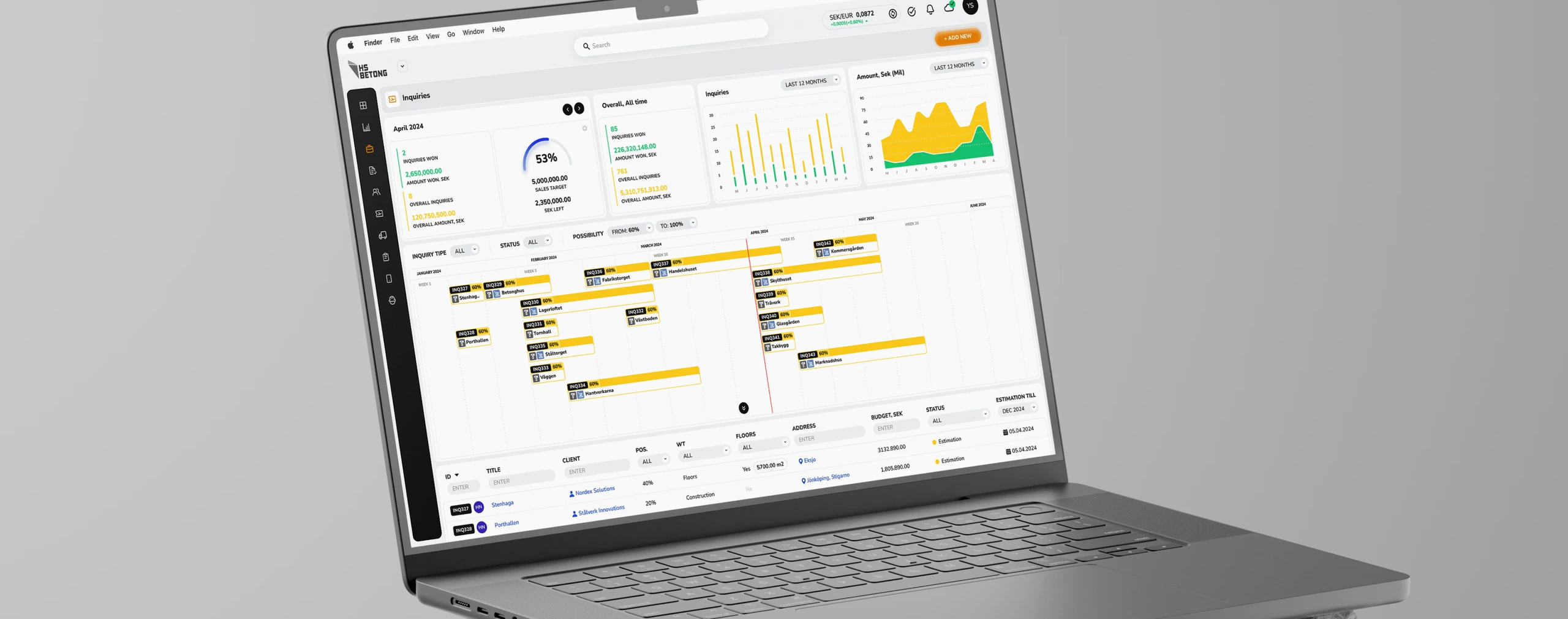
Inquiries dashboard

The Inquiries dashboard became the starting point for sales and management.

Here they can see all incoming project requests, understand potential revenue and plan workload ahead of time.
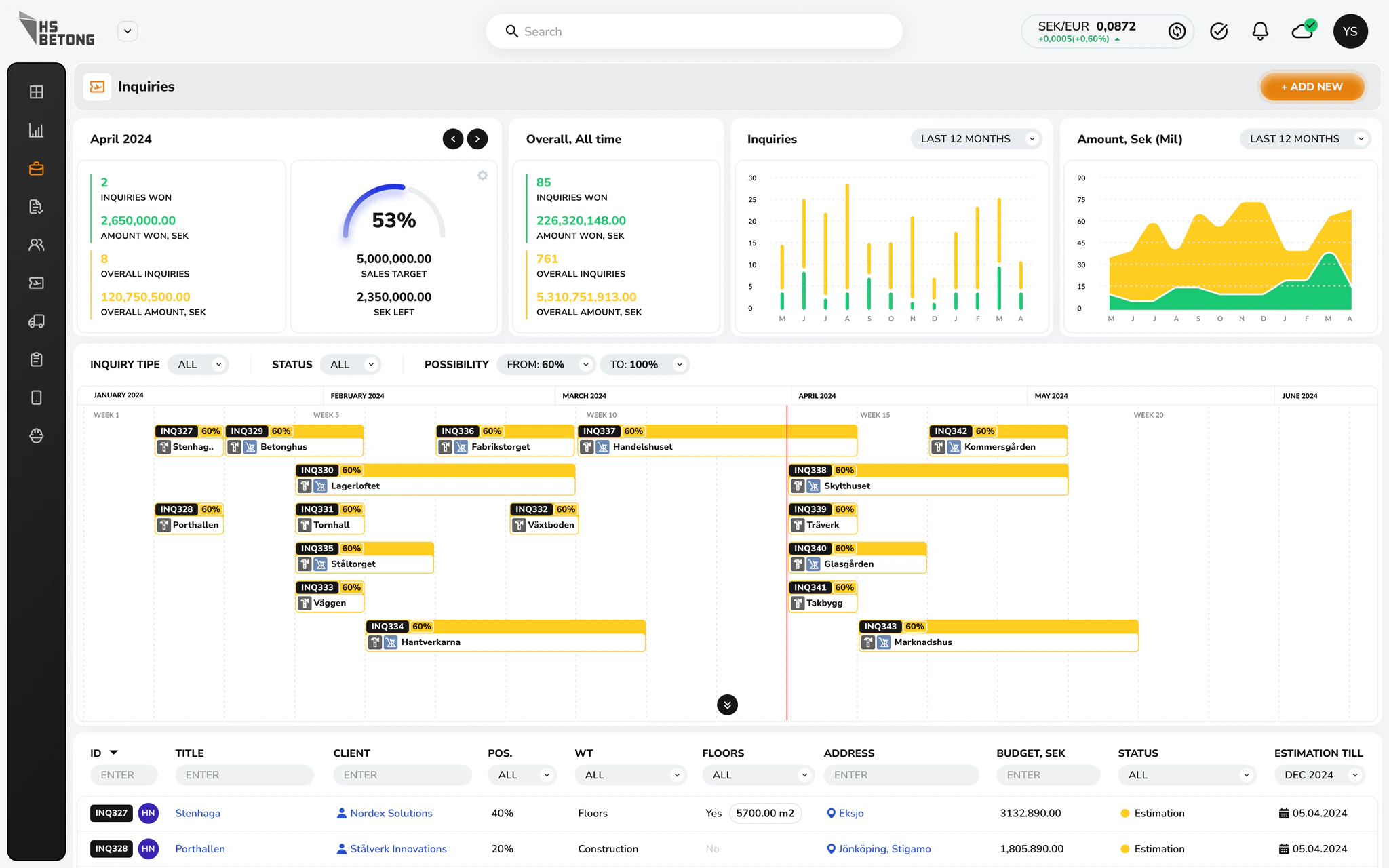
Inquiries dashboard screen

What we focused on

  • All new inquiries in one place
  • Monthly goals and key numbers on the screen
  • Clear status and priority for every inquiry

Impact

The team can quickly answer “What is coming next month” and “Which deals matter most right now”.
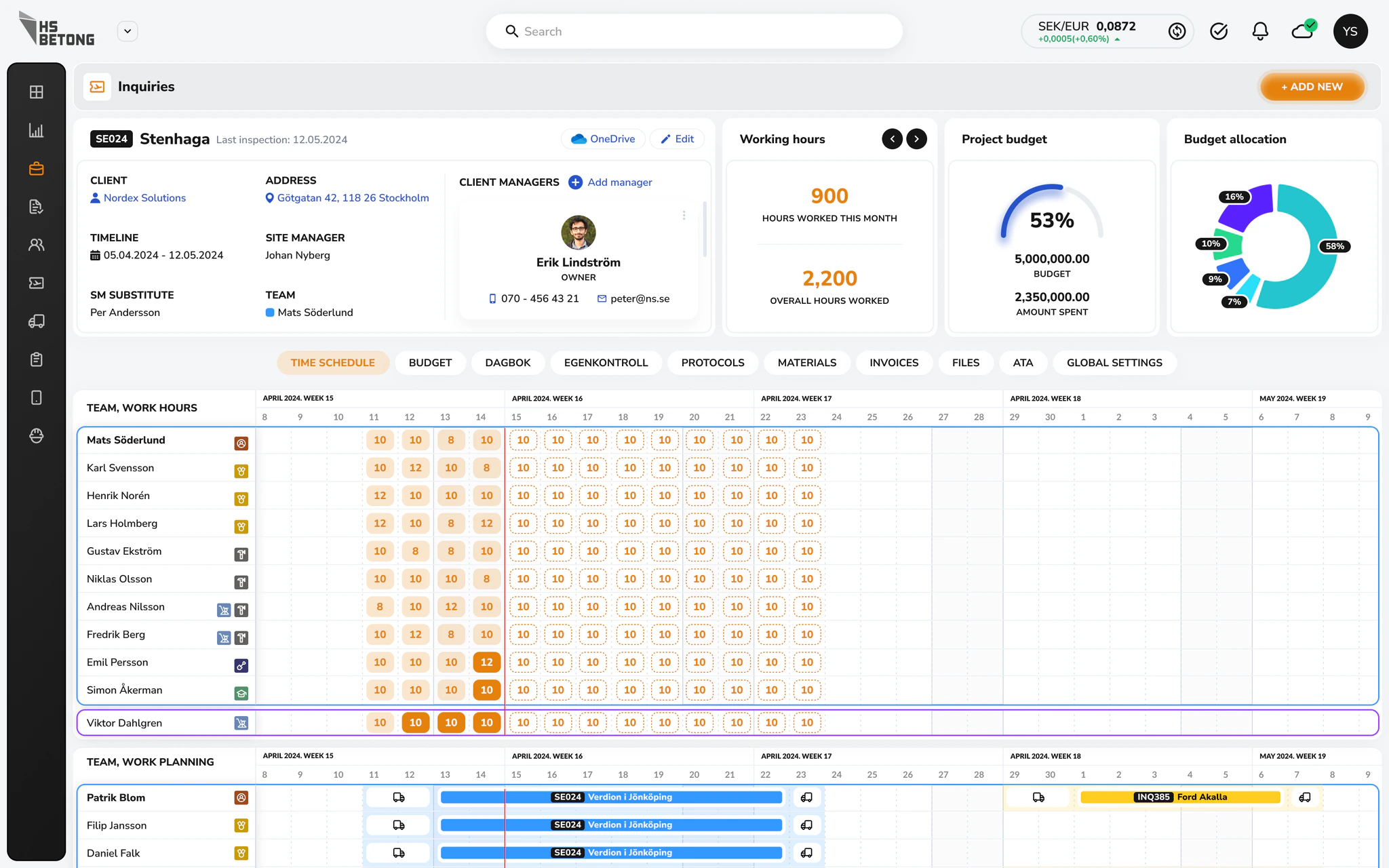
Project management

For project managers we designed a detailed project view that brings together scope, costs and people.

They can see what was planned, what actually happened and what it means for the budget.

Project management screen

What we focused on

  • One view for location, dates, budget, team, risks
  • Clear view of who works where
  • Hours and costs tracked together

Impact

Project managers spend less time chasing information and more time coordinating teams and protecting margins.

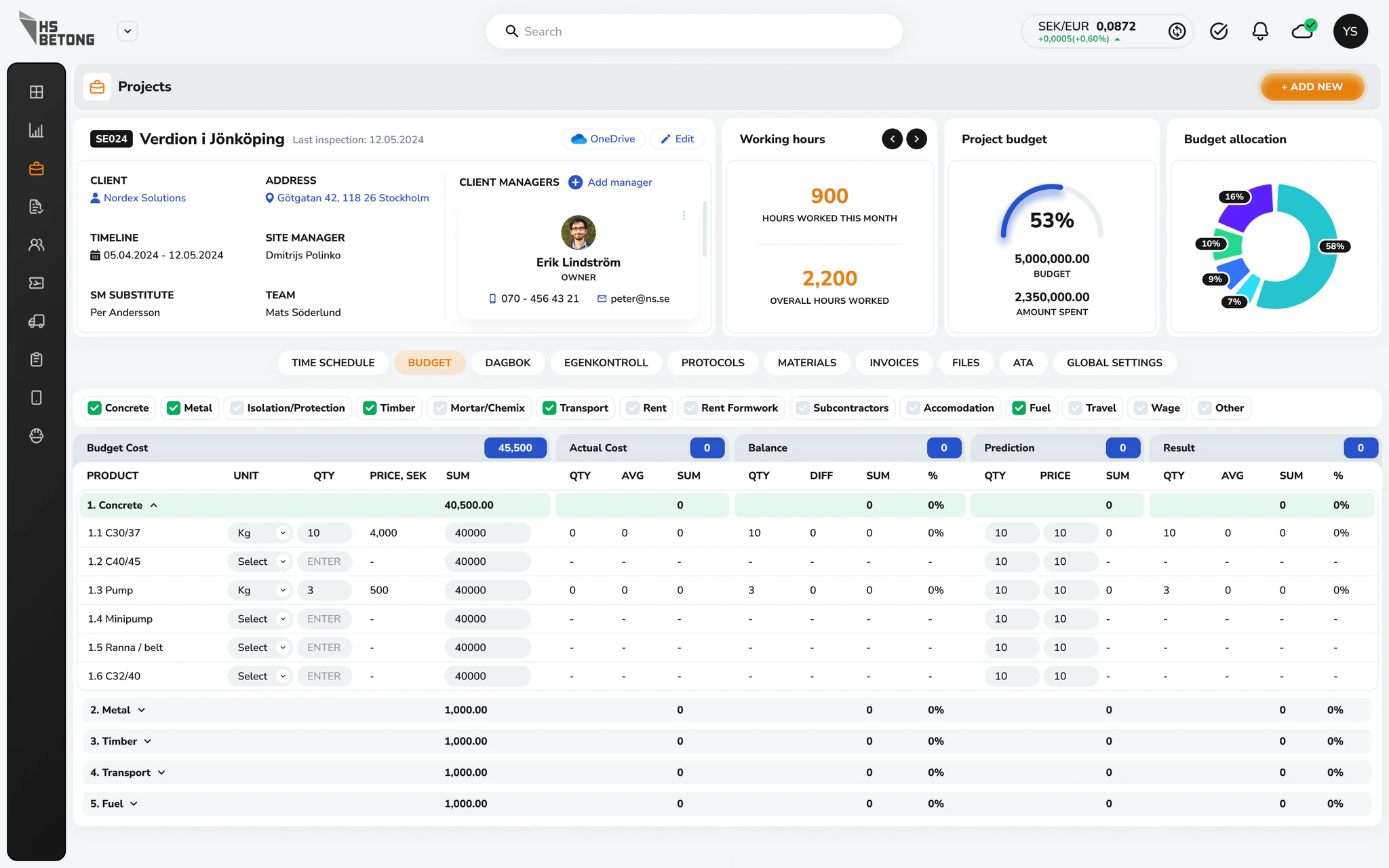
Budget

Concrete projects rely on a lot of materials and equipment.

The Budget section gives project managers one place to plan and track all purchases.

Budget screen

What we focused on

  • Structured all planned and actual purchases by category, supplier and project phase.
  • Highlighted differences between planned and real spend so overspend is visible early.
  • Made it easy to attach documents and notes, so decisions are transparent for accounting and management.

Impact

Fewer surprises at the end of the project and better forecasting for future jobs.

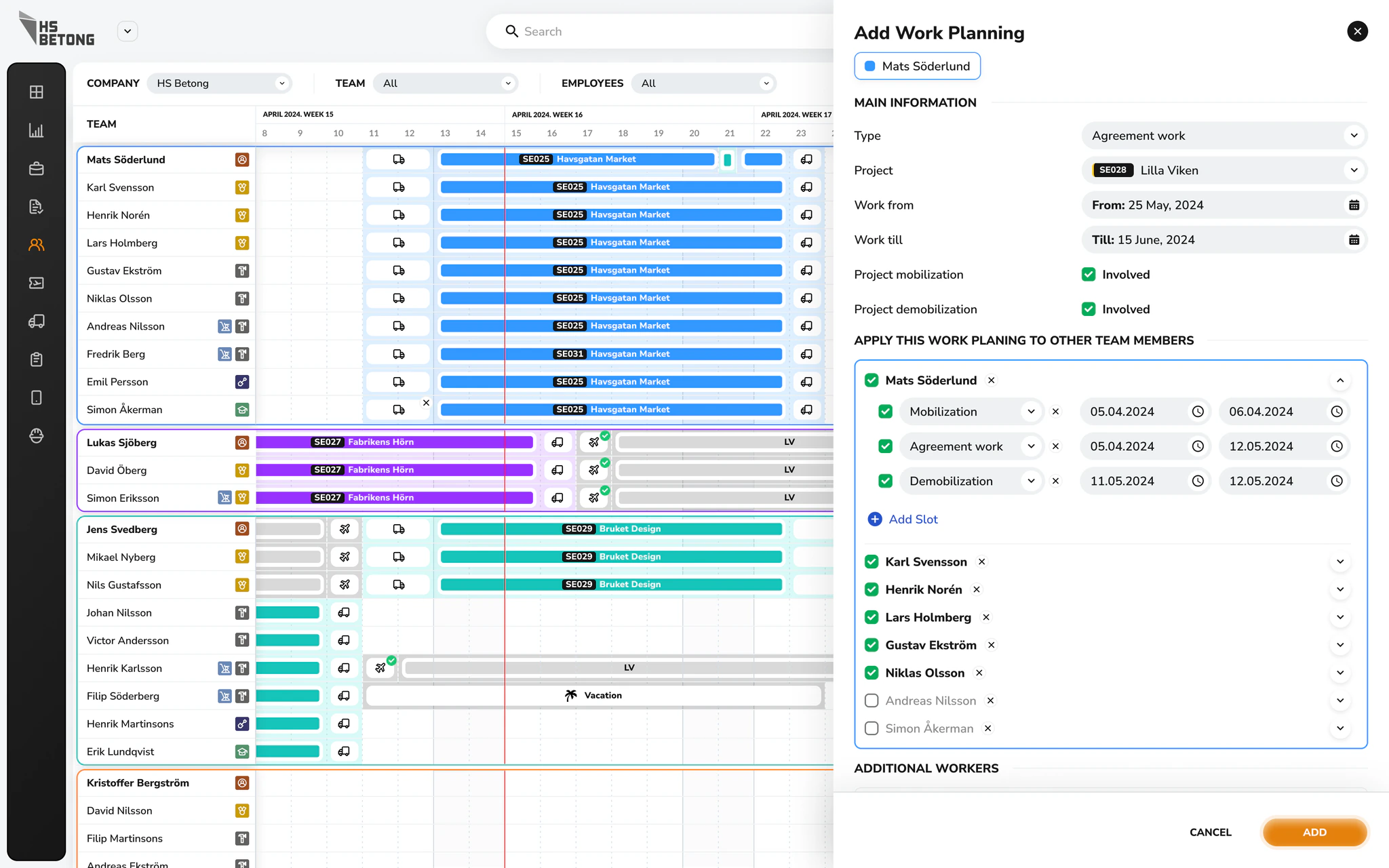
Rotations

In this industry teams constantly move between sites. If rotations are not planned well, projects slow down and costs grow.

We created a dedicated Rotations view where managers can see who is working where and plan shifts across all active projects.

Rotations screen

What we focused on

  • Visual schedule of teams by project and date, instead of scattered spreadsheets
  • Gaps and overload are easy to spot, so managers can reassign people early
  • Rotations are simple to update when something changes on site

Impact

Better use of workforce, fewer conflicts between projects and more predictable timelines.

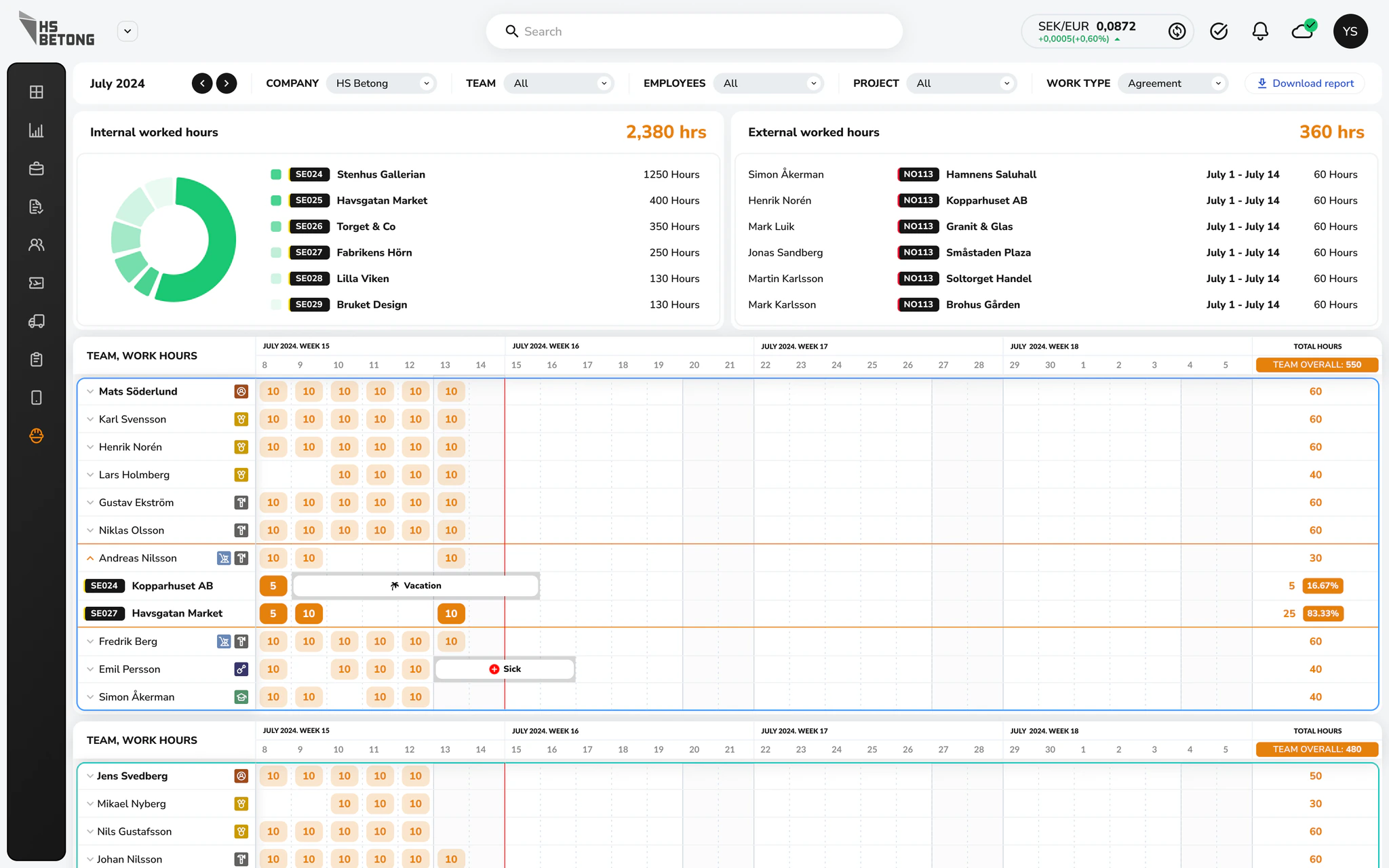
Working hours

Working Hours is the backbone for payroll and cost control.

Here all hours from different projects are collected and prepared for accounting.

Working hours screen

What we focused on

  • Brought time tracking from all teams into one consistent format.
  • Made anomalies visible, for example missing hours or outliers, so they can be fixed before salary calculations.
  • Structured data in a way that can be exported or integrated into existing accounting tools.

Impact

Accounting spends less time cleaning data, and employees get paid correctly and on time.

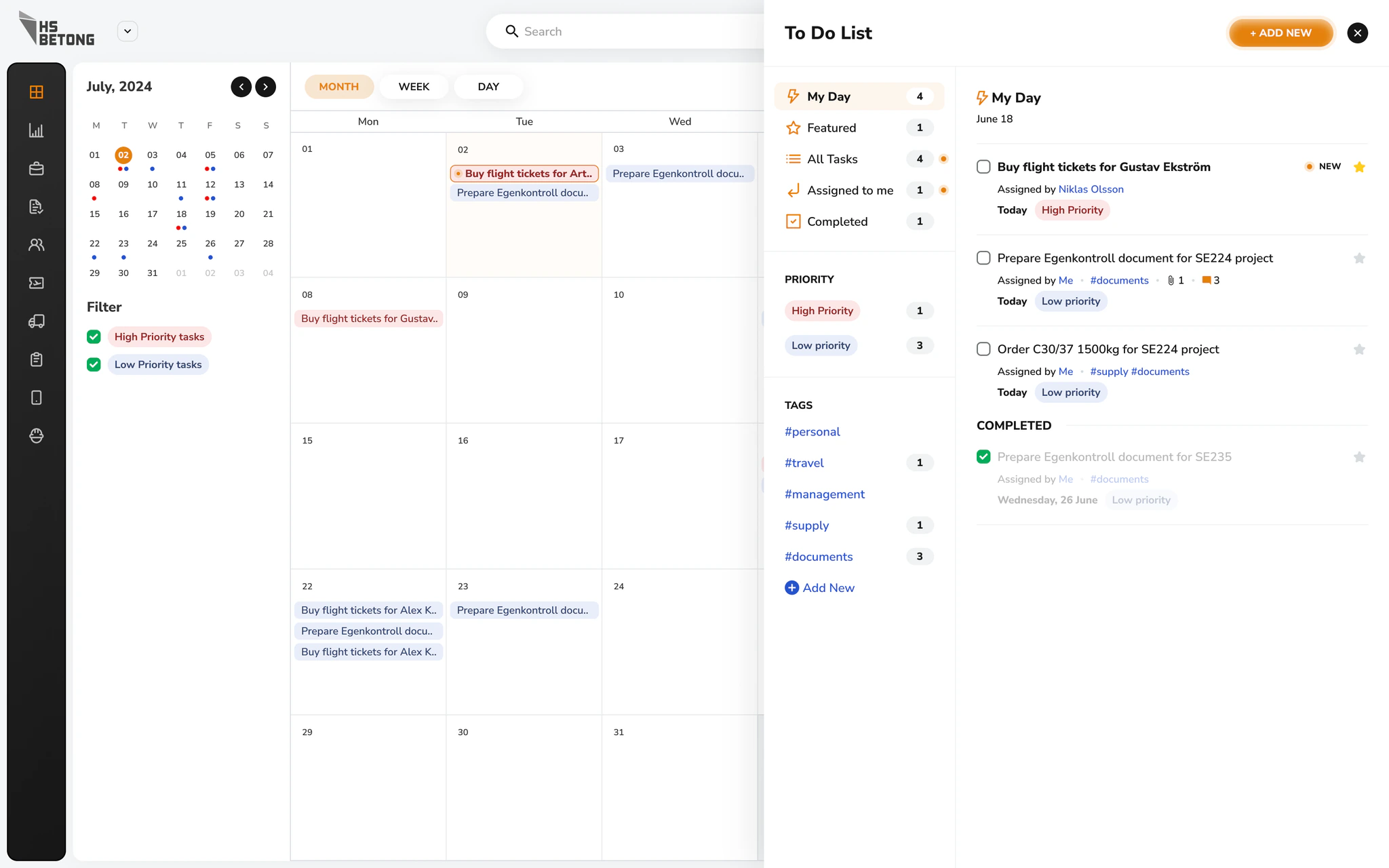
Calendar and To-Do

To support day to day work we designed a simple calendar and tasks view that connects with the rest of the CRM.

Calendar and To-Do screen

What we focused on

  • Let employees plan their own day, schedule meetings and assign tasks to colleagues.
  • Linked tasks with projects and inquiries so context is always clear.
  • Kept the interface very light, so it feels more like a calendar than a complex project tool.

Impact

People start the day with a clear plan and fewer things fall through the cracks.

Results

In the end HS Betong received a CRM that matches how they actually work.

  • More than 30 core screens redesigned around real user flows.
  • Structured navigation, powerful search and analytics built into everyday views, not hidden in separate reports.
  • Integrated task management, budget planning and time tracking in one product.

The client reported that daily work in the platform became up to three times faster in key scenarios, since teams no longer switch between tools or manually rebuild the same information.

For HS Betong this means a platform they can rely on to run projects, plan resources and make financial decisions.

For us it is a good example of how careful UX and clean UI can turn a heavy internal system into a tool that people actually enjoy using.

Clarity is what moves products forward

Start with
a clear next step

We’ll help define a clear path forward

Tell us what you're building